Skip to content
Home
Pricing
Channel List
Installation-Guide
FAQ
Contact Us
Home
Pricing
Channel List
Installation-Guide
FAQ
Contact Us
How to setup IPTV on Android with IBO PRO PLAYER App
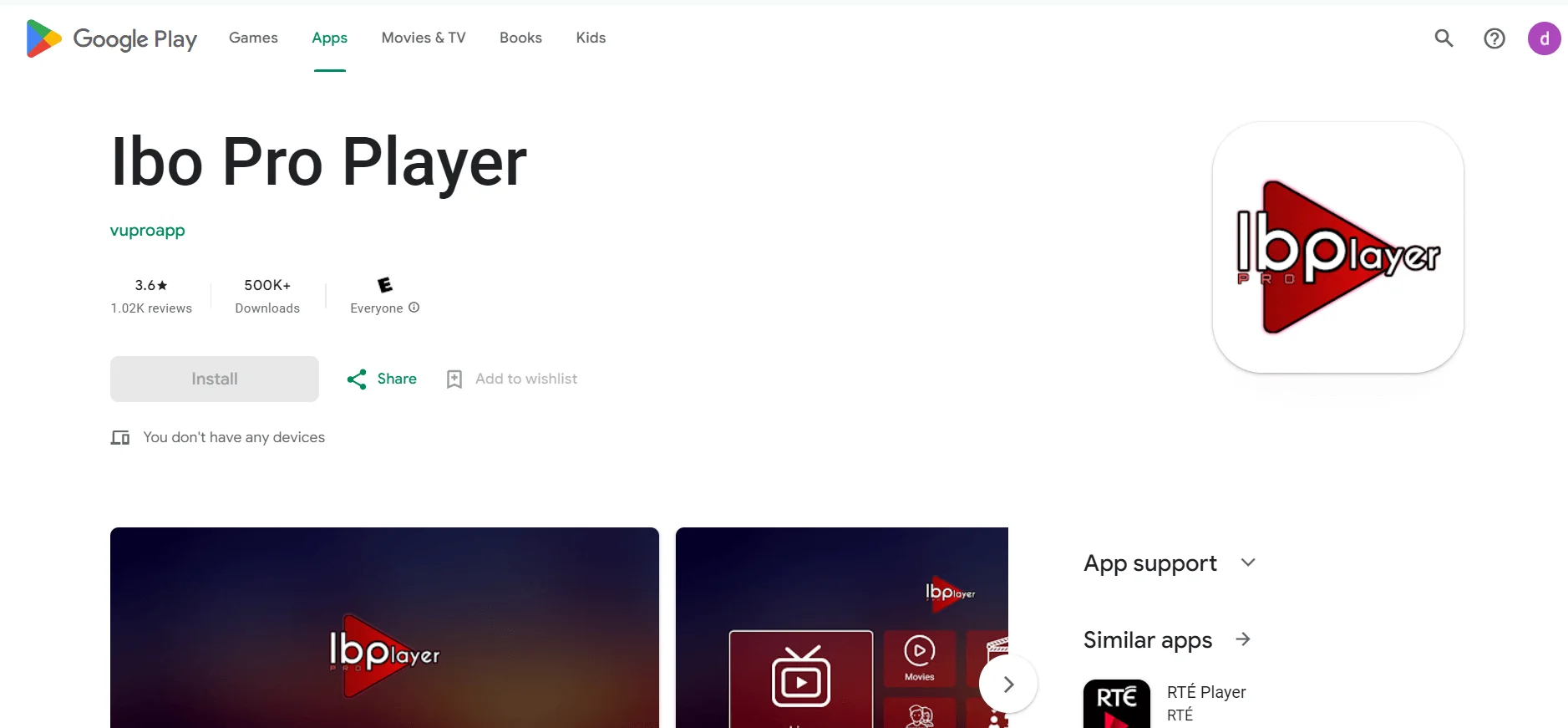
1- Unlock your Android device and go to Play Store (Google Play)
2- Browse for IBO PRO Player in the Google Play Store.
3- Select Install to install the Ibo Pro Player on your Android device.
4- Launch the IPTV player.
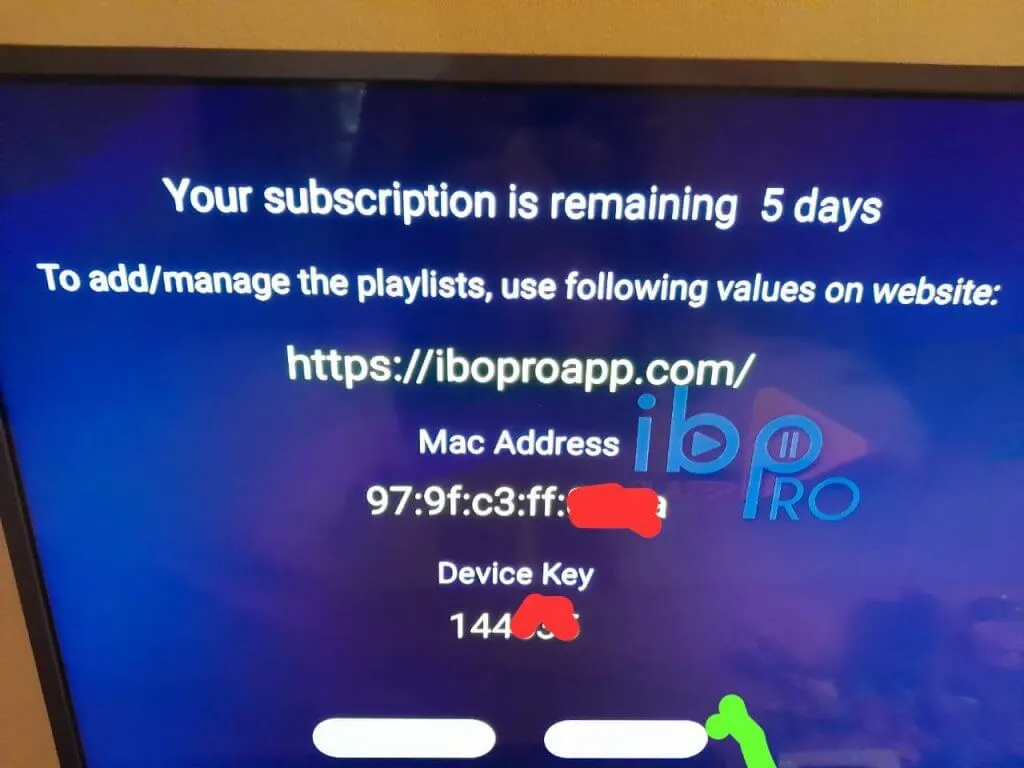
5- Pops Image with Mac Address and device key Show Up. Click Continue:
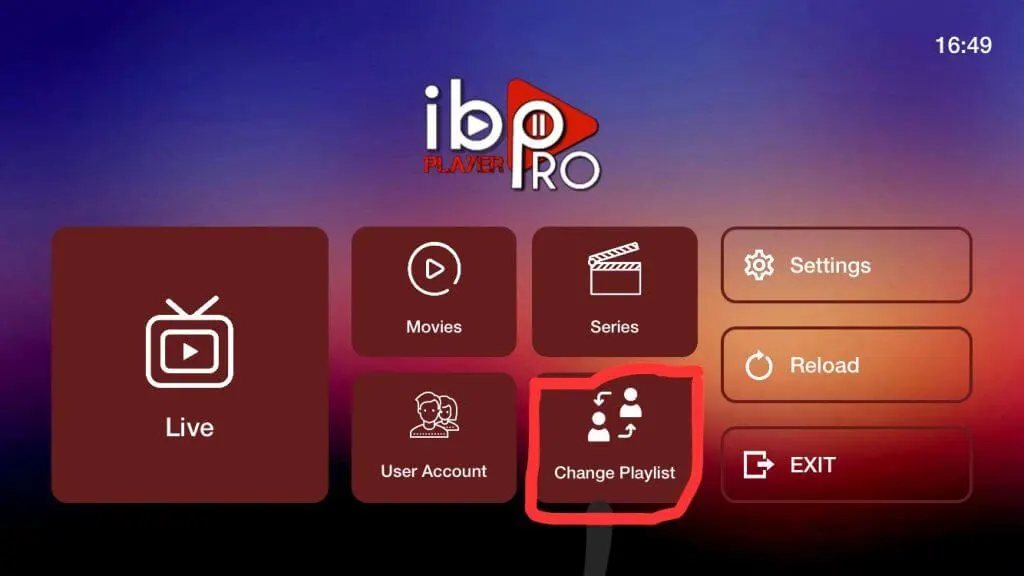
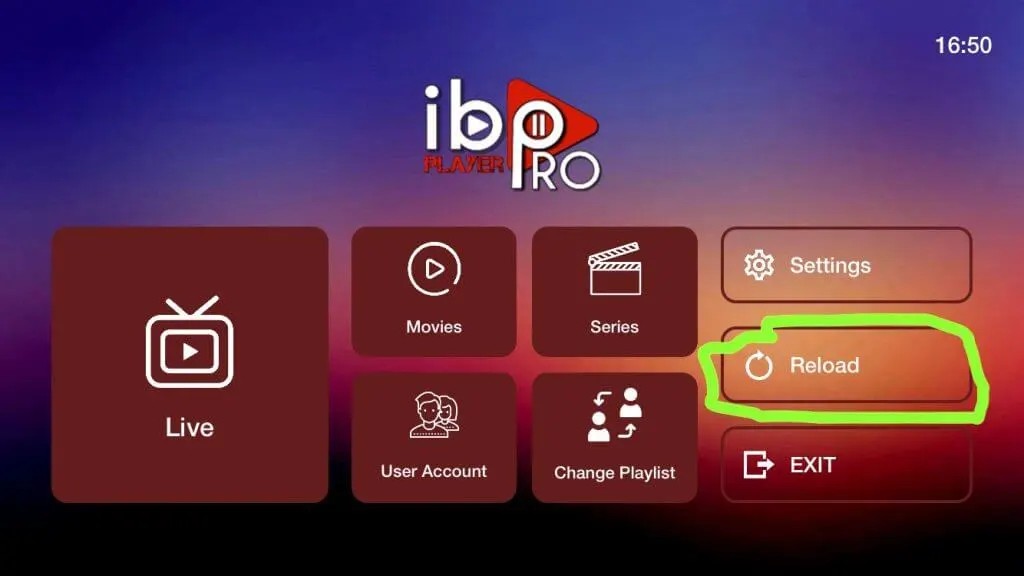
6- App Home page will appear. Click On Change Playlist
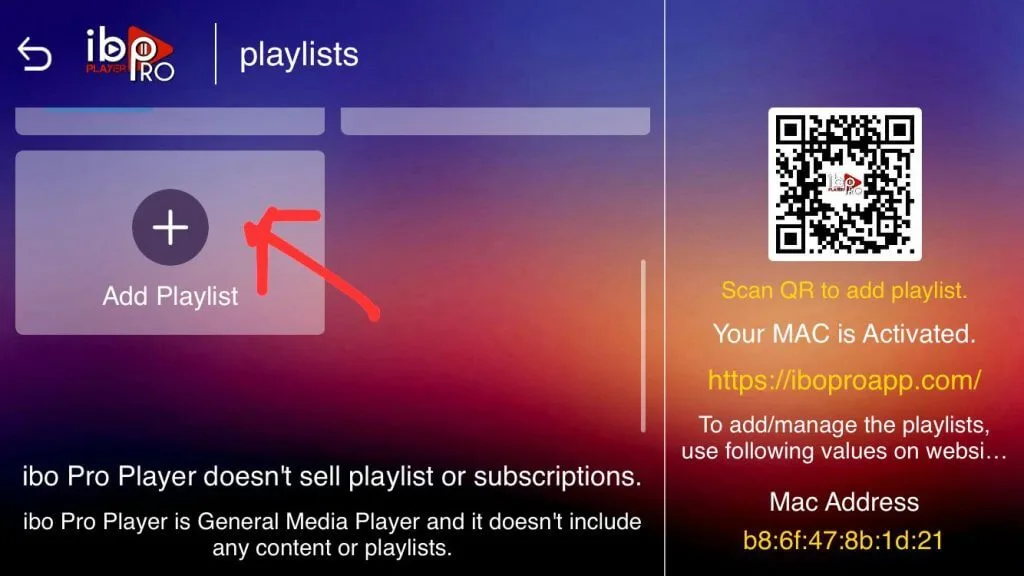
7- Click on Add Playlist
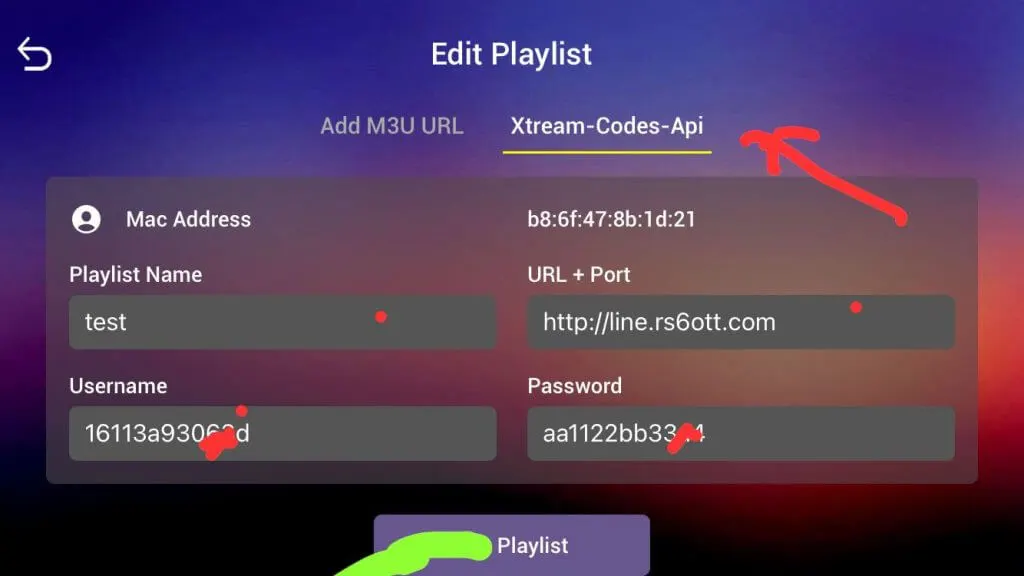
8- Select tab Xtream-Codes-API and check for info in your email inbox/spam for Subscription Account Login Details
9- Select Add Playlist. Make sure playlist is connected back to Home Page and click Reload
These are other applications
To activate these apps, please contact us via email or WhatsApp.
- One-year activation for .
($10)
- Lifetime activation for
($25)
IBO Player Pro
(Payée)
481220/834339
Download
IBO Player
(Payée)
1171959
Download
IBO Player Pro
(Payée)
923441
Download
IBO Pro Player
(Payée)
6402995
Download
KING4K Player
(Payée)
862414
Download
BOB Player
(Payée)
815778
Download
IBOSS IPTV
(Payée)
967528
Download
IBO Pro
(Payée)
474637
Download
Scroll to Top