This tutorial will guide you through simple and effective steps of installing your Mag (250/254/256…).
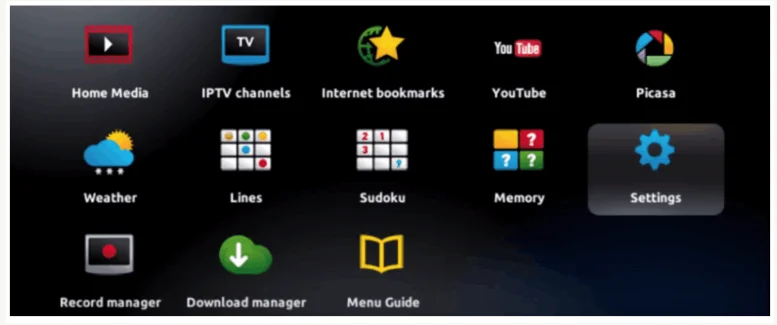
Step 1: When the box is being loaded the main portal screen appears. After that click on “settings”, and press the remote button “SETUP/SET”.
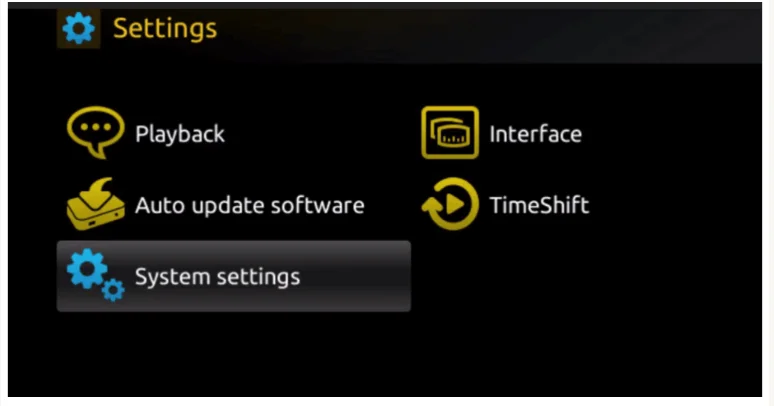
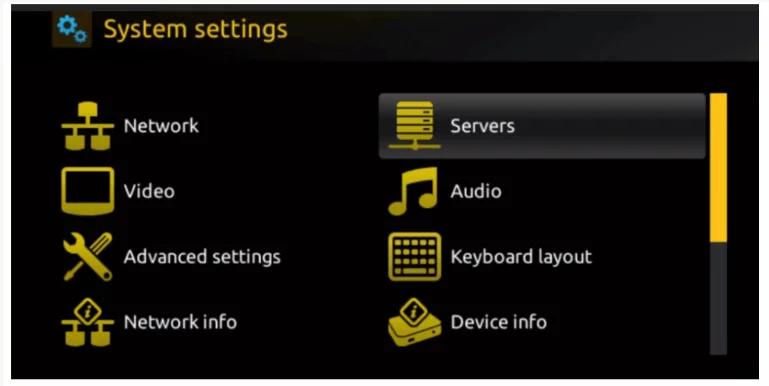
Step 2: Then press on “System settings” and click on “Servers”.
Step 3: Click on ‘Servers’
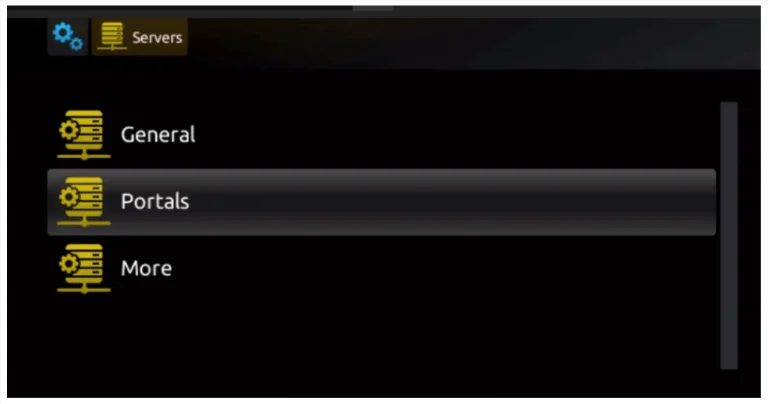
Step 4: Choose and Press option ‘Portals’
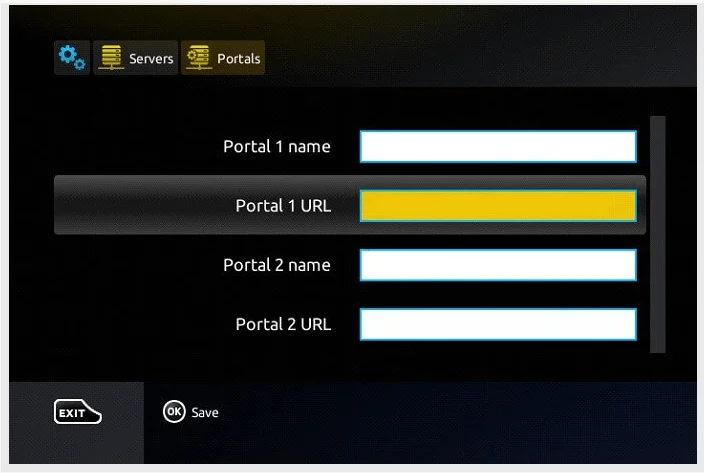
Step 5: Choose and Press option ‘Portals’ Step 6: In the ‘Portal 1 name’ line enter a portal name and in the ‘Portal 1 URL’ enter portal URL.
Therefore for the activation of our IPTV subscription on your MAG box, you must send us with your order the MAC address found on the label behind the box, the activation is done entirely remotely, just after activation, we will send you a URL link that you have to put on your PORTAL, as in the photo below:
Step 7 – Finally when you complete select and click ‘OK’ to save the changes.
Step 8 – Click ‘EXIT’ on the remote control after the settings are being saved.
Step 9 – Consequently you have to reboot the box. Choose the option ‘OK’ to make the changes applied.
These are other applications
To activate these apps, please contact us via email or WhatsApp.
- One-year activation for . ($10)
- Lifetime activation for ($25)